DIP Switch Calculator
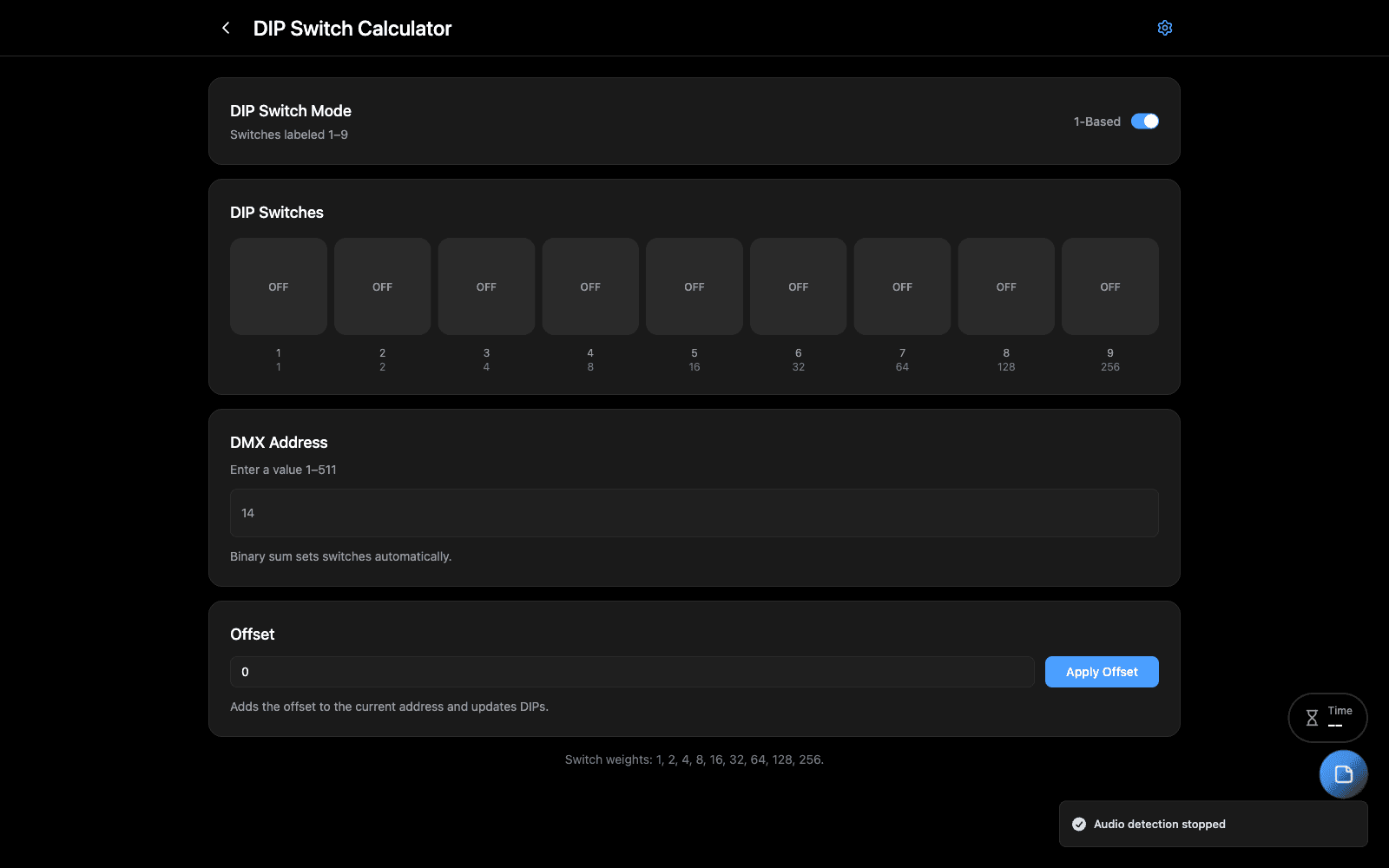
A DMX address in, the switch positions out — and the reverse, for reading a fixture you cannot get a manual for.
Overview
Older fixtures are addressed with a bank of DIP switches, each worth a power of two. Setting one by hand means decomposing an address into binary in your head, usually up a ladder, usually in the dark.
Type the address and it shows you the switches. Flip the switches and it shows you the address — which is the direction you need when you are working out what somebody else set last tour.
When to Use
- Addressing conventional fixtures, dimmer packs or older LED bars
- Reading back a fixture whose address nobody recorded
- Checking a rig where two fixtures respond to the same address
Step-by-Step
- Enter a DMX address (1–511), or click the switches directly.
- Read the result — the switch bank updates as you type, and the address updates as you flip.
- Set an offset if the fixture’s manual counts from a different base.
- Save the configuration with a name and notes, so the rest of the rig can be addressed the same way.
Tips & Shortcuts
Switch 1 is usually the least significant bit, so address 1 is switch 1 alone. Some manufacturers number the other way round — if every fixture is mirrored from what you expect, that is why, and the offset is how you correct for it.
Saved configurations carry notes. Worth recording the fixture type they were for; a bank that is right for one make is wrong for another.
Troubleshooting
The fixture does not respond at the address shown. Check whether the manual counts addresses from 0 or from 1 — a whole rig off by one is almost always this.
Related Tools
- Art-Net Hex Calculator — subnet and universe from a hex byte
- Reports & Documentation — the DIP switch report, as printable paperwork
Source
Component: DIPSwitchCalculator