Net Bandwidth Calculator
What the show’s network is actually carrying — video, audio, lighting and control — before you find out on site.
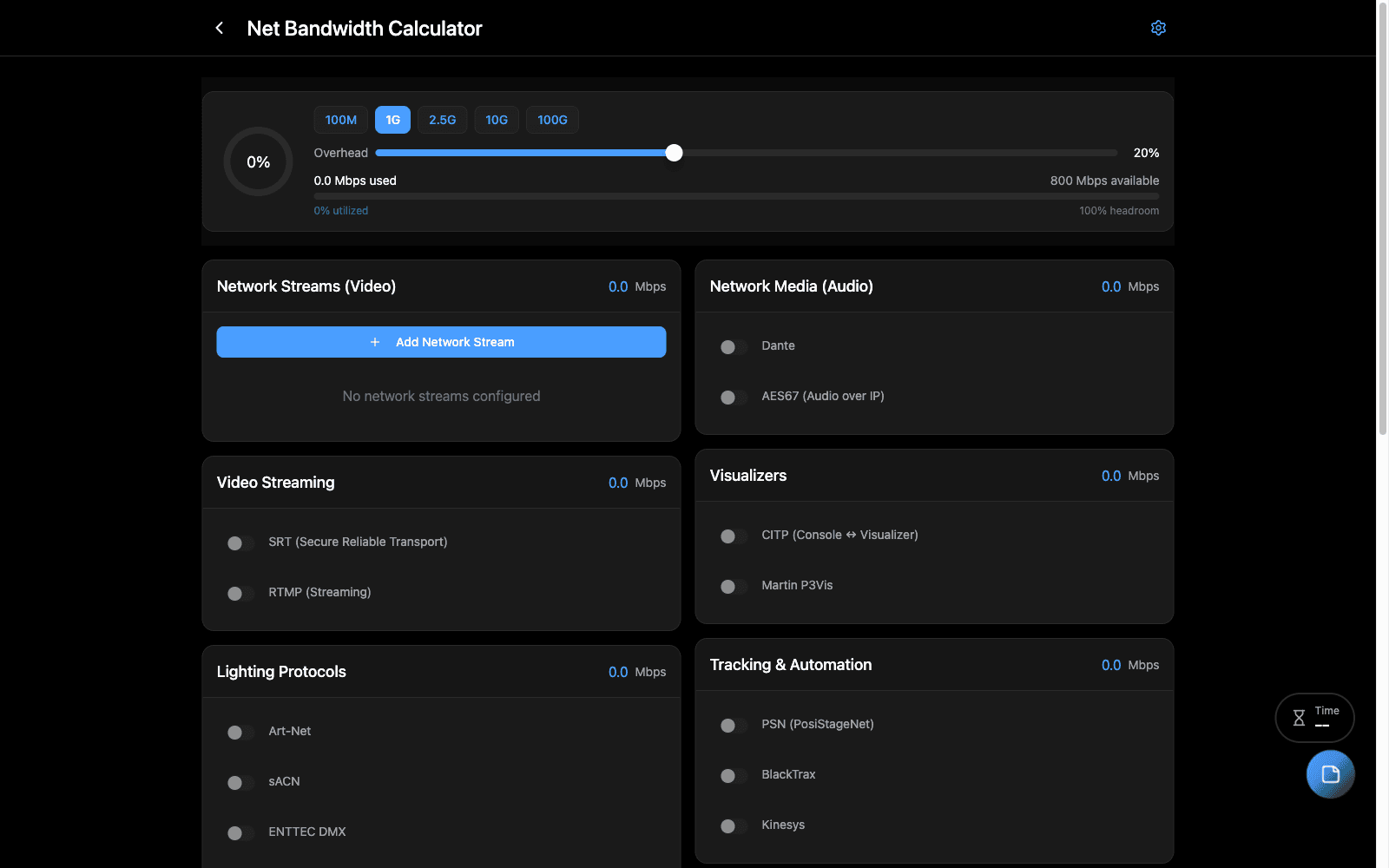
Overview
A production network carries more than anyone counts. NDI streams, Dante devices, Art-Net universes, CITP traffic between media servers and consoles, timecode — each modest on its own, and collectively enough to saturate a link nobody thought was marginal.
Enter what is on the network and it totals the load, so the switch and the uplinks can be chosen on a number rather than a feeling.
When to Use
- Speccing switches and uplinks for a build
- Deciding whether video and control can share a network
- Diagnosing a network that works in the shop and fails in the room
What it accounts for
- NDI — full bandwidth and HX, which are an order of magnitude apart
- Dante — per device, by channel count and sample rate
- Art-Net universes — small individually, not collectively
- CITP: MSEX media streaming, CAEX fixture data, FPTC timecode sync
- Custom — anything else, in Mbps
Step-by-Step
- Define your networks, so traffic can be assigned to the right one.
- Add what is on each — servers, consoles, NDI streams, Dante devices, universes.
- Read the total per network and compare it against the link you plan to give it.
Tips & Shortcuts
NDI full bandwidth is the number that surprises people. A handful of full streams will fill a gigabit link on their own. NDI HX is dramatically lighter and usually the right answer for monitoring.
Separate networks are cheaper than a bigger switch. If the total is uncomfortable, splitting video off control usually costs less than solving it with hardware.
This is steady-state. Bursts — a media server pre-loading, a console pushing a show file — go above it. Leave headroom.
Related Tools
- Venue Network — the network as built
- Signal Flow Manager — what connects to what
Source
Component: NetBandwidthCalculator